
Understanding the Docker Engine Architecture
Docker isolates applications from their host operating systems using core Linux kernel primitives: namespaces and control groups.
- Namespaces: Provide the first layer of isolation (isolation of resources). They dictate what a process can *see*. For example, the PID namespace isolates process lists, the NET namespace isolates network cards, and the MNT namespace isolates directory mounts.
- Control Groups (cgroups): Control resource allocations. They dictate how much resources a process can *use* (e.g. CPU shares, memory limits, and disk I/O metrics).
Visualizing Image Layer Caching
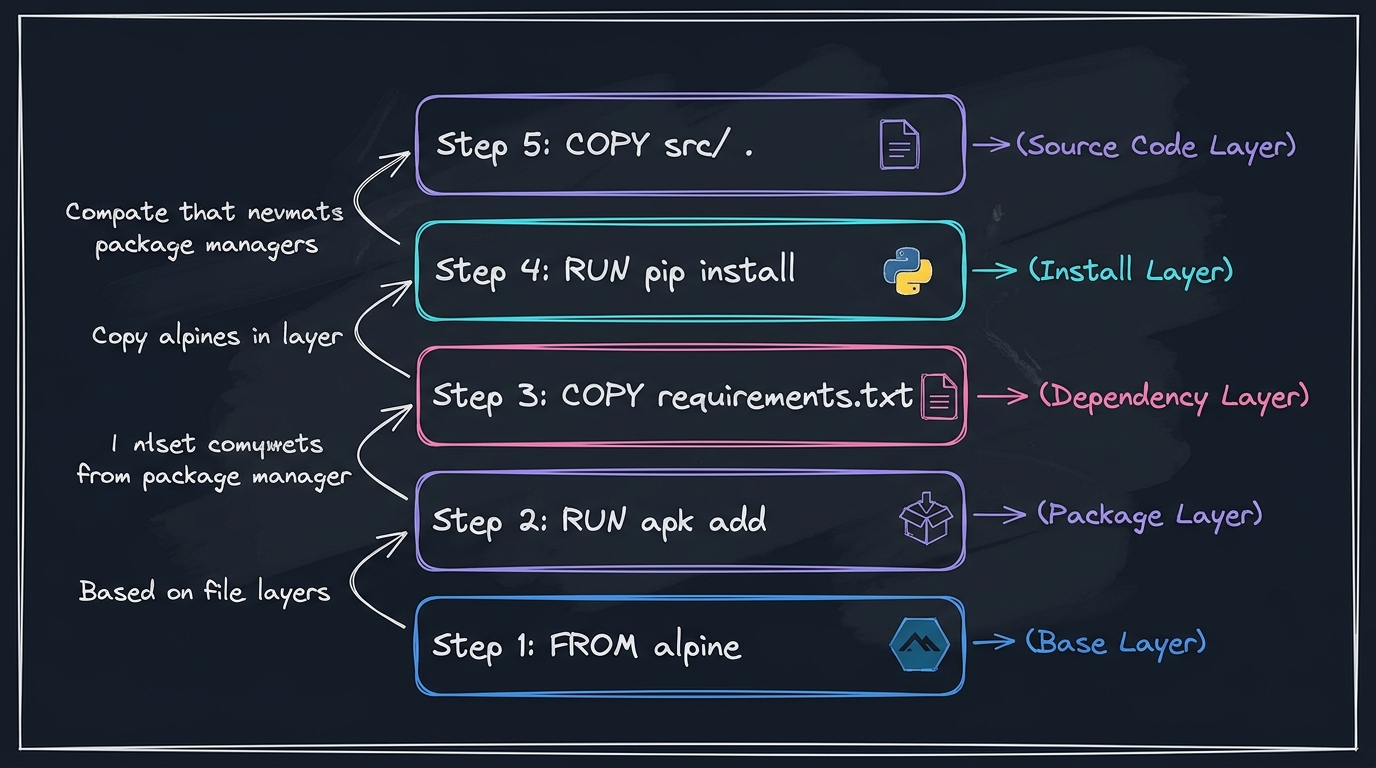
Docker builds images in a stack of read-only layers. If you modify a file in step 5, Docker will reuse cached layers from steps 1-4. To optimize build speeds, always copy package files and run dependency installs BEFORE copying your application source code.
---
Technical Q&As (Container Operations)
Q1: What is the difference between the COPY and ADD instructions in a Dockerfile? When should you use one over the other?
Answer: Both copy files, but their capabilities differ:
COPY: A simple, transparent command that copies local files or folders from the build machine context directly into the target container filesystem. It is the recommended instruction for almost all use cases.ADD: A more complex command that has two additional capabilities:
1. It can retrieve files from remote URLs.
2. It automatically extracts tar archives (e.g., tar.gz, tar.xz) into the target folder.
- *Best Practice*: Use
COPYfor predictability. If you need to download remote packages, useRUN curlorRUN wgetto download and clean up tar archives in a single layer to keep image sizes small.
Q2: What is a Multi-stage build and how does it reduce container security risks and image sizes?
Answer: Traditional builds compile applications inside the final image, leaving build dependencies (like compilers, SDKs, test runtimes) in the container. This inflates image sizes and increases vulnerability surfaces.
- Multi-Stage Build: Allows you to declare multiple
FROMlines in a single Dockerfile. You compile and build your application in a heavy base stage (e.g.,golang:1.21ormaven:3-openjdk), and then copy only the compiled static binaries or assets into a clean, minimal runtime stage (e.g.,alpineordistroless). - *Example*:
# Stage 1: Build/Compile
FROM golang:1.21-alpine AS builder
WORKDIR /app
COPY . .
RUN go build -o main .

# Stage 2: Minimal Runtime
FROM alpine:3.18
WORKDIR /run
COPY --from=builder /app/main .
CMD ["./main"]
This reduces the image size from ~800MB to ~15MB and removes compilers that hackers could use to build scripts.
---
Production Troubleshooting Commands
Diagnosing Slow Container Startup
To check which process inside the container is consuming resources or blocked:
docker stats --no-stream
docker inspect --format='{{.State.Health.Log}}'
Cleaning Up Unused Image Layers
To reclaim disk space occupied by dangling images, stopped containers, and unused builder caches:
docker system prune -a --volumes