
Jenkins Architecture: Controllers & Distributed Agents
Jenkins operates on a distributed master-agent architecture to scale build throughput.
- Jenkins Controller (Master): Handles configuration, hosts the web console, orchestrates build triggers, and schedules tasks. It does not run resource-heavy builds itself to prevent instability.
- Jenkins Agents: Lightweight Java worker processes that execute tasks assigned by the Controller. They can run on bare-metal servers, virtual machines, or spin up dynamically inside Kubernetes clusters as ephemeral pods.
Visualizing a CI/CD Pipeline Execution
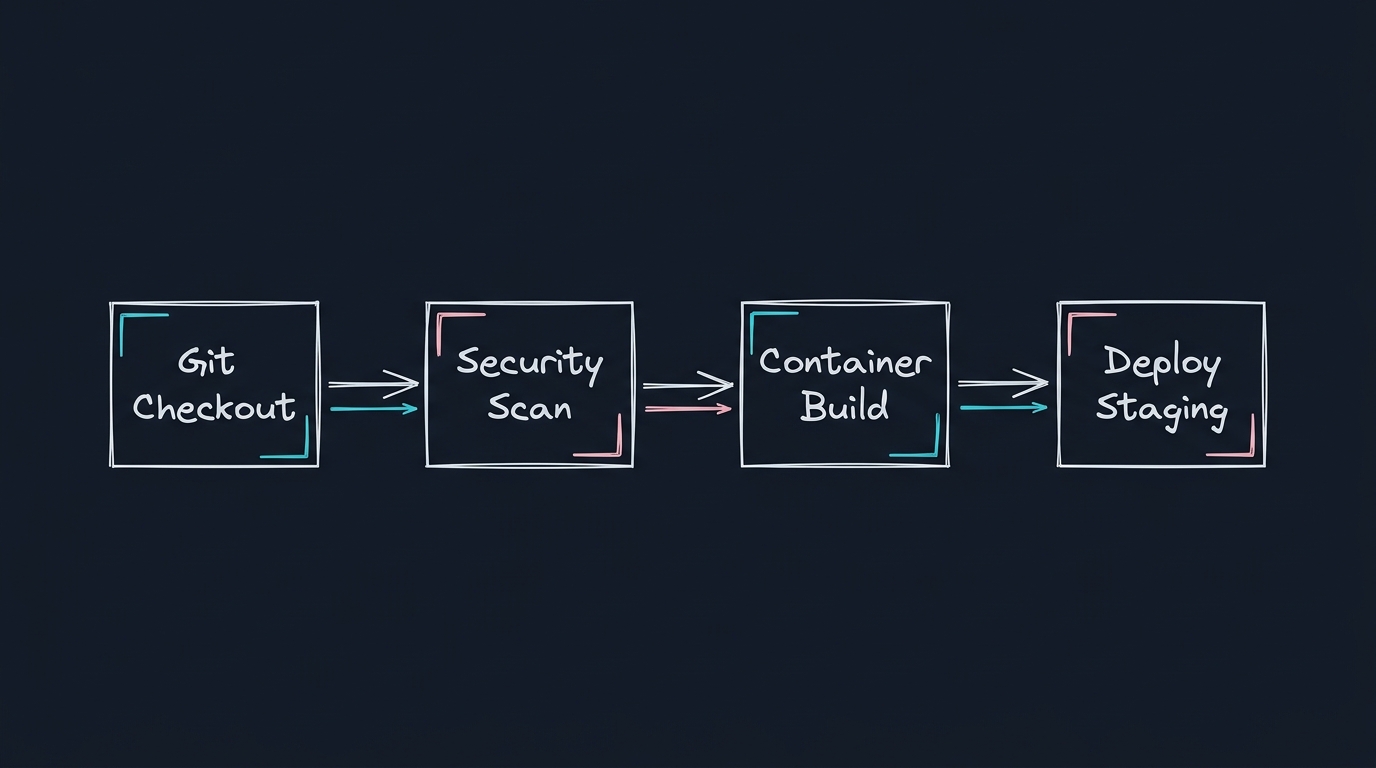
---
Technical Q&As (CI/CD Pipelines)
Q1: What is the difference between a Declarative and a Scripted Jenkins pipeline? Which should you use?
Answer: Both define build steps, but they use different paradigms:
1. Declarative Pipeline: Introduced to simplify pipeline authoring. It uses a strict, structured layout (defined inside a pipeline { ... } block). It enforces a clean hierarchy of stages, steps, and post-actions, reducing scripting errors. It is the recommended standard for modern pipelines.
2. Scripted Pipeline: The original paradigm. It uses an imperative Groovy-based layout. It offers complete access to the Groovy language, allowing for complex loops and dynamic functions, but is harder to read, maintain, and secure.
Q2: How do you prevent sensitive credentials (like Docker Hub passwords or SSH keys) from leaking into Jenkins console logs?
Answer: Jenkins provides a credentials store to secure secrets.
- Credentials Store: Store keys in the encrypted database.
- Credentials Binding: Use the
withCredentialsblock in your Jenkinsfile. This temporarily binds secrets to environment variables during the block execution and automatically masks their values with asterisks () in the build console logs:
stage('Deploy') {
    steps {
        withCredentials([usernamePassword(credentialsId: 'docker-hub-creds',
                                         usernameVariable: 'DOCKER_USER',
                                         passwordVariable: 'DOCKER_PASS')]) {
            sh "docker login -u ${DOCKER_USER} -p ${DOCKER_PASS}"
        }
    }
}
Q3: What are Jenkins Shared Libraries, and why are they critical for managing multiple enterprise repositories?
Answer: In large companies with hundreds of microservices, copying and pasting Jenkinsfiles across repositories creates configuration drift.
- Shared Libraries: Allow you to write common, reusable build steps in a separate git repository.
- Usage: Import the library at the top of your Jenkinsfile and call custom steps:
@Library('shared-global-pipeline') _
buildSpringApp {
    imageName = 'billing-service'
    port = 8080
}
This standardizes security scanning, linting, and image pushing policies globally.
---
Jenkins Pipeline Debugging Scripts
Troubleshooting Pipeline Code
A common error is pipeline lockups due to resource bottlenecks on worker nodes. To check available agent executor slots:
# Run via Jenkins Script Console to inspect active threads
for (a in Jenkins.instance.computers) {
    println("Agent: " + a.displayName + " - Offline: " + a.offline)
}