
Linux OS Kernel Primitives & Process States
Linux processes navigate multiple states in their lifecycle. Understanding these states is critical when diagnosing system freezes or service stalls.
- D State (Uninterruptible Sleep): Typically waiting for disk or network I/O. The process cannot be interrupted by signals (even
kill -9). - Z State (Zombie): Processes that have completed execution but their parent processes have not read their exit codes via
wait()system calls. They consume no memory but occupy slots in the process table.
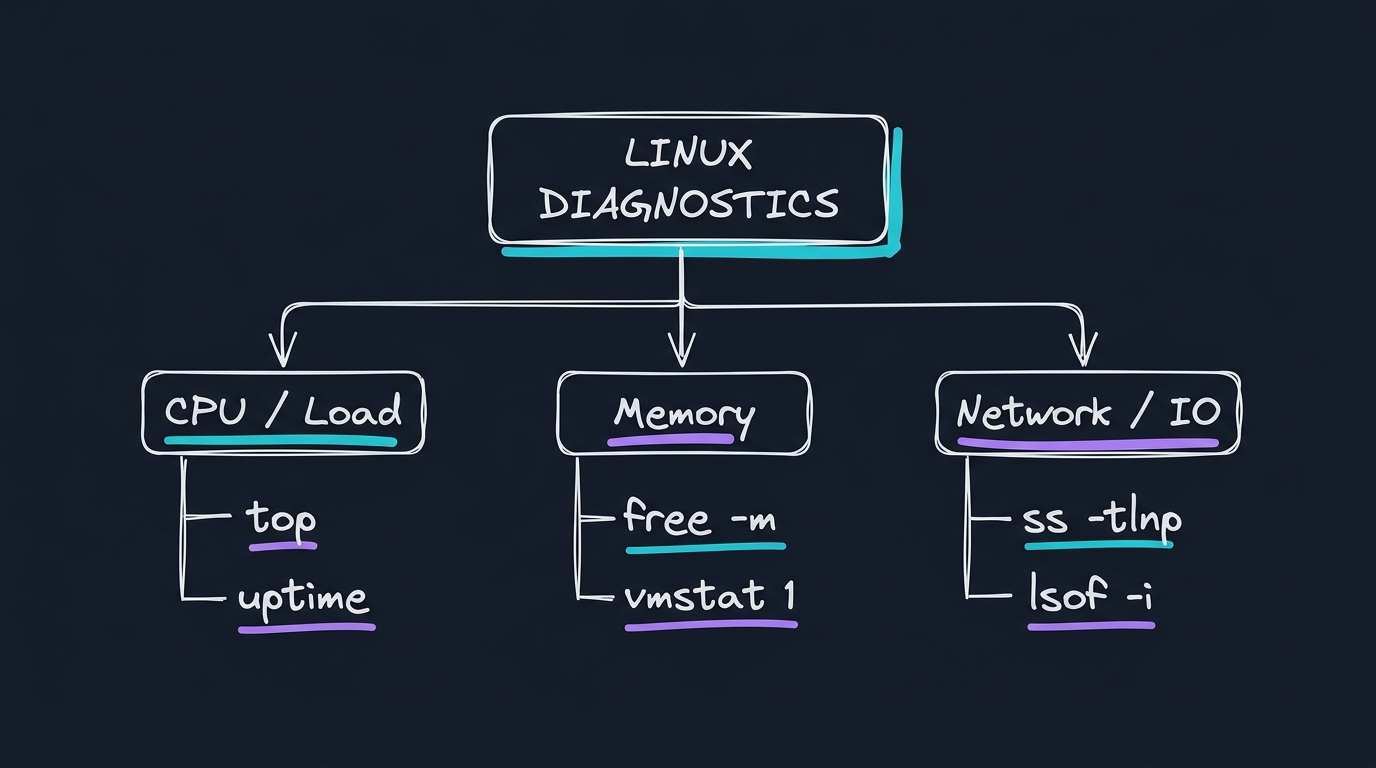
Visualizing Systems Debugging Command Hierarchy
---
Technical Q&As (OS Troubleshooting)
Q1: What is the difference between SIGTERM (15) and SIGKILL (9) signals? How does a process handle them?
Answer: The signals instruct processes to terminate, but they take different routes:
SIGTERM (15): The default termination signal. It is sent to the process and can be caught, handled, or ignored. This allows the application to perform cleanup tasks (closing file descriptors, flushing database connection pools, completing active requests) before exiting.SIGKILL (9): A brute-force termination signal. It is not delivered to the process; instead, the Linux kernel immediately terminates the process execution. The application has no opportunity to clean up, which can result in corrupted state files or database drifts.
Q2: How do you identify which process is binding to port 8080 and preventing your application from starting?
Answer: Use the ss (socket statistics) or lsof (list open files) commands:
1. ss command:
bash
sudo ss -tlnp | grep 8080
*Explanation*: -t limits to TCP, -l to listening sockets, -n shows numeric port values, and -p prints process names and PIDs.
2. lsof command:
bash
sudo lsof -i :8080
Once you identify the PID, you can investigate it or terminate it using sudo kill .
Q3: What is "Inodes Exhaustion" and how does it cause write failures when there is still plenty of disk space?
Answer: In Linux filesystems, every file or directory is represented by an inode (index node), which stores metadata (permissions, owner, block locations). The filesystem has a fixed maximum limit of inodes.
- The Problem: If a script generates millions of tiny temporary files (e.g. session logs or cache files), the system can run out of available inodes even if those files occupy only a few kilobytes.
- The Symptom: Disk writes fail with
No space left on device, but runningdf -hshows 50% free capacity. - The Diagnostic: Run
df -ito check inode usage metrics:
bash
df -i /var
- The Resolution: Find and delete the directory containing the millions of small files using:
bash
find /path/to/search -type f -delete
---
Systems Diagnostics Cheat Sheet
Use these standard commands during production outage escalations:
| Diagnostic Target | CLI Command | What it measures |
|---|---|---|
| CPU Usage | top or htop | Process load and CPU core utilization levels. |
| Memory Allocation | free -m | Total, used, and cached RAM metrics. |
| Disk Capacity | df -h | Storage usage percentage of mounted partitions. |
| Network Sockets | ss -tlnp | Active TCP listening ports and processes. |
| Log Monitoring | journalctl -xe | Systemd daemon logging events and errors. |